back
v360 ball 1 - animate yaw (with bash / zsh)
The v360 filter has many projection formats, here the "ball" format. Seems to be a fisheye format close to 300° FOV with an alpha mask option. No practical use for a panoramic photographer, but visually interesting.
Here I animate the equirectangular file by making 360 equirectangular images with 1° horizontal increase*. Starting from the left, position -180 to 180 (the yaw range in v360).
ffmpeg v360 filter
* to increase the number of frames, I have to leave bash as it only accepts integers.
I would use Black Magic Design's Fusion Studio with Reactor to directly make an intermediate movie in any length. Something like this: fusion_reactor
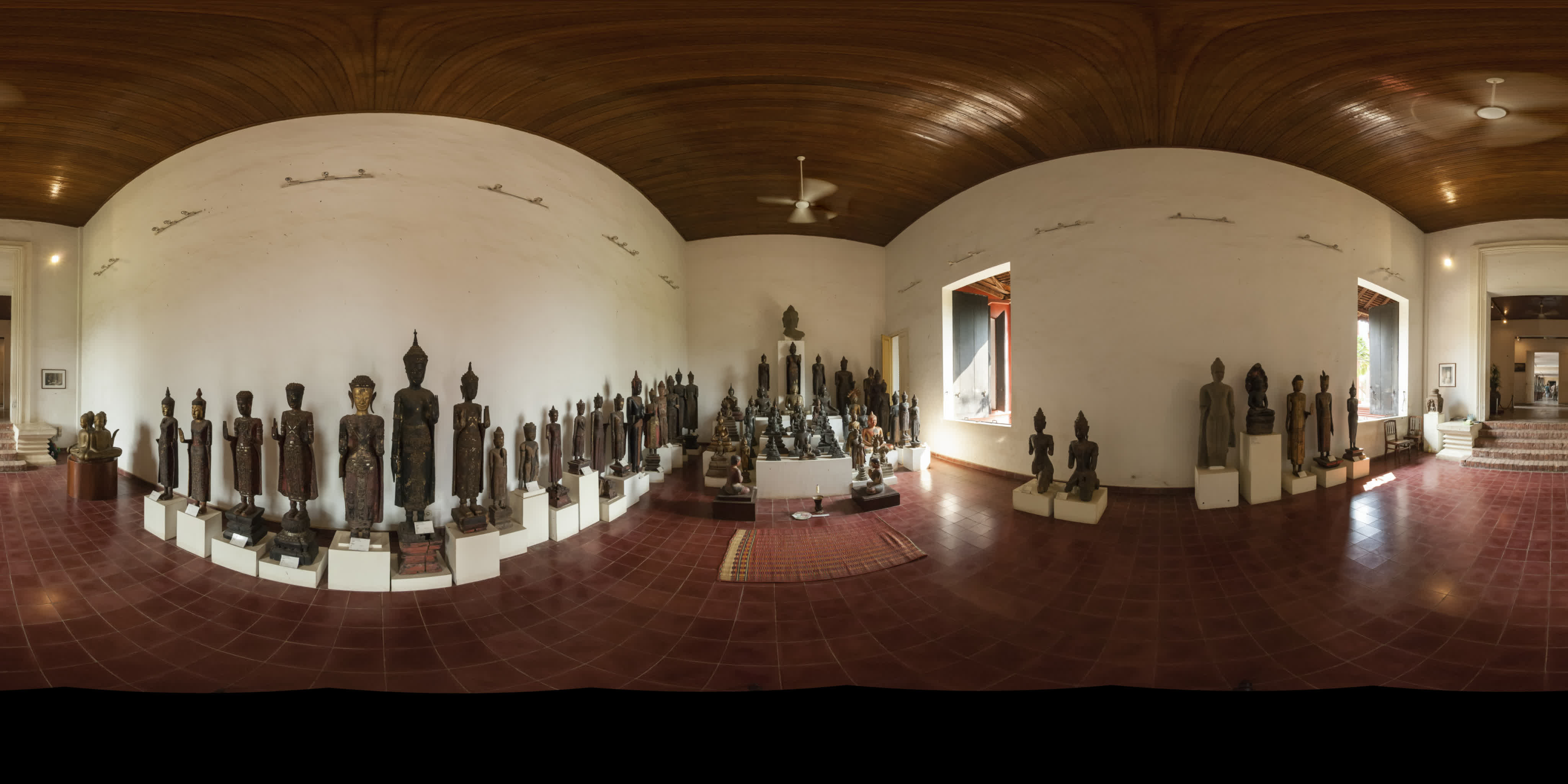
180e.jpg
Equirectangular input (as .tif), the Buddha hall, National Museum, Phnom Penh, 2007.
software carpentry Bash Shell course
Bash Shell Scripting exercises learn programming the hard way
Bash - Getting started with Bash
Introduction to Bash Shell Scripting, Flavio Copes
shellcheck is your friend when the shell is stubborn.
To make a batch script, use bash or zsh as follows (delete the comments if in zsh):
#!/bin/bash
yaw=-180# degrees, range -180 to 180. If you want to loop it, stop at 179.
frame=0# start from 0.
while [ $frame -lt 360 ]# (-lt = less than) loop from 0 to 359 frames, then stop.
do
ffmpeg -i a/input.tif -hide_banner -vf v360=input=e:output=e:yaw="$yaw" b/"$frame".jpg
yaw=$((yaw + 1))# increase yaw by one (integer).
frame=$((frame + 1))# increase image number.
done
Then, add 00 to image 1-9, add 0 to 10-99 for the next step (or use a file renamer):
a=1
for i in *.jpg; do
new=$(printf "%03d.jpg" ${a})
echo renaming ${i} ${new}
mv ${i} ${new}
let a=a+1
done
Make a high quality intermediate movie from the jpeg files in .mov (proRes422 or better) or .mxf (DNxHD/DNxHR) format:
Set
"input framerate" on still image sequences.
ffmpeg -r 30 -i b/%03d.jpg -c:v prores_ks -profile:v 3 -vendor apl0 -bits_per_mb 8000 -r 30 -pix_fmt yuv422p10le proRes422.mov
eq_pan.mp4
panning movie, from the proRes422.mov
And to make the ball format .mp4 video use:
ffmpeg -i proRes422.mov -hide_banner -vf "v360=input=e:output=ball:pitch=0:interp=cubic:w=2048:h=2048" -pix_fmt yuv420p ball.mp4
interp=cubic Note: more complex interpolation methods require much more memory to run. Default value is 'line'.
Output "ball.mp4", 12s at 30fps, pitch=0.
pitch=90 places zenith in the center (rotates CW), pitch=-90 places nadir in the center (rotates CCW).
h9.mp4
	pitch=
	 90  68  45
	 22   0 -22
	-45 -68 -90
The v360 filter has an alpha mask option: Build mask in alpha plane for all unmapped pixels by marking them fully transparent. Boolean value, by default disabled. Set to true with "alpha_mask=1". Apart from ball, the orthographic and perspective format have unmapped pixels that produces working alpha, any more?
ffmpeg -i proRes422.mov -hide_banner -vf "v360=input=e:output=ball:pitch=30:interp=cubic:w=2048:h=2048:alpha_mask=1" -c:v prores_ks -profile:v 4444 -alpha_bits 8 -bits_per_mb 8000 -pix_fmt yuva444p10le ball30alpha.mov
Here I'm compositing the alpha masked video over the panning movie background:
ffmpeg -i proRes422.mov -i ball30alpha.mov -hide_banner -filter_complex "overlay=x=W=4096:y=H=2048:x=w=2048:y=h=2048:x=1024:y=0,zscale=1080:540" -pix_fmt yuv420p -c:v libx264 -color_primaries bt709 -colorspace bt709 -color_range tv -color_trc 709 -movflags +faststart -preset slow -crf 18 ball_overlay1080f.mp4
ball_overlay1080f.mp4
pitch=30
back