
cubemap_fbrlud.jpg
I started to use the open source command line tool, "ffmpeg" version 4.3.1 (now 9.0) in 2020 in panoramic photography. The scripts should work for Mac and Linux, and with adjustments PC.
The new (2020) filter "v360" converts 360° videos/images between various formats. ffmpeg v360 filter
I've added a set of 6 small (480x480 px) cubic faces and an equirectangular (1920x960 px) in .tif, download: "cube.zip"
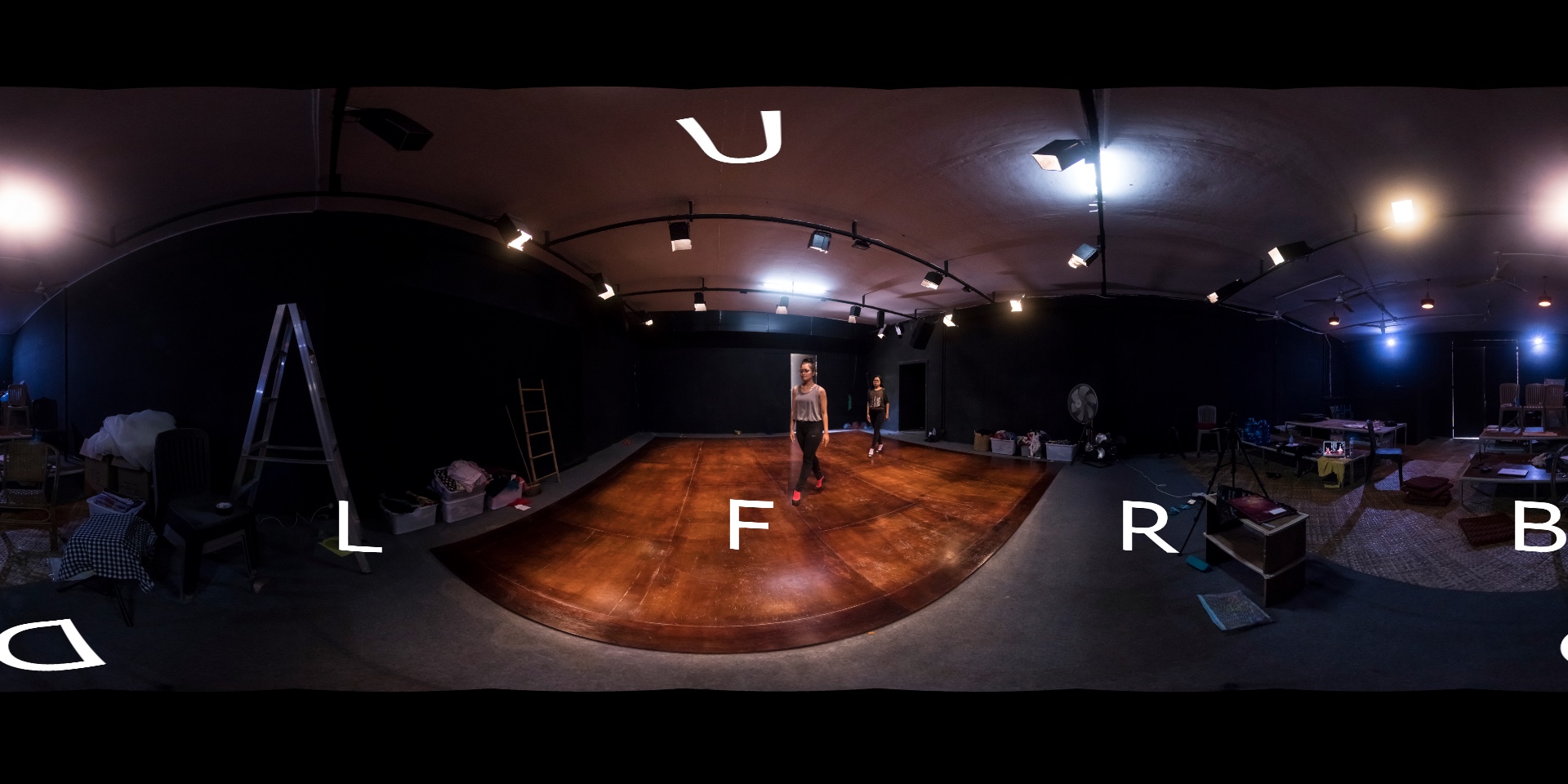
Here I'm converting an equirectangular panorama to a cubemap (strip) in 6x1 format (horizontal).
v360 filter, cubemap face names: right 'r', left 'l', up 'u', down 'd', forward 'f', back 'b'. Default value is 'rludfb'. Any order is possible (but not usable). To get the forward cubemap face placed first in the cubemap, set order thus:
ffmpeg -i eq.tif -vf "v360=input=equirect:output=c6x1:out_forder=fbrlud" cubemap_fbrlud.tif
cubemap_fbrlud.jpg
"input=" and "output=" are optional, "equirect" can also be written "e", here the forward cubemap face will be placed last:
ffmpeg -i eq.tif -vf "v360=e:c6x1:out_forder=brludf" cubemap_brludf.tif
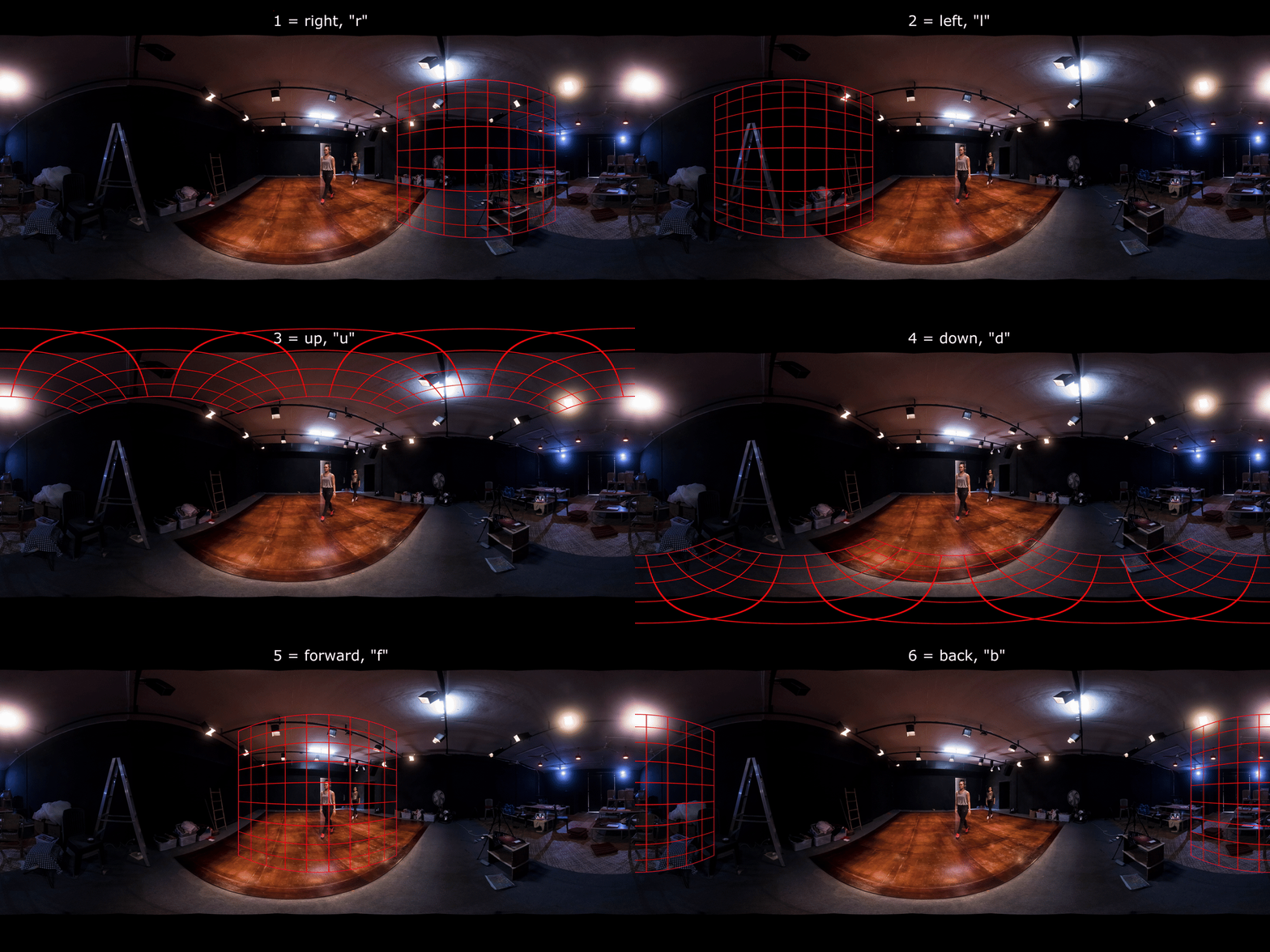
eq.gif Going through the cube face names in default order 'rludfb'.
Make a new folder "dir" and untile the cubemap six faces into it. ffmpeg untile filter. As you're already in Terminal, use bash / zsh to make the folder:
mkdir dir

	ffmpeg -i cubemap.tif -vf "untile=6x1" dir/%d.tif
or keep the "brlud" part of the cubemap intact, from a cubemap of 2880x480 px:
ffmpeg -i cubemap_brludf.tif -vf "crop=2400:480:0:0" brlud.tif
To extract the forward cube face, from a cubemap of 2880x480 px. (Or use the untile filter.)
ffmpeg crop filter
and here are good examples of cropping
ffmpeg -i cubemap.tif -vf "crop=480:480:1920:0" face05f.tif
Reassemble the cubemap: ffmpeg tile filter
v360 filter, cubemap face names: right 'r', left 'l', up 'u', down 'd', forward 'f', back 'b'. Default value is 'rludfb'. Extract each cubemap and rename right to 1.tif, left to 2.tif etc. Then reassemble them.
ffmpeg -i dir/%d.tif -filter_complex "tile=6x1" dir/cubemap01.tif
or
ffmpeg -i dir/1.tif -i dir/2.tif -i dir/3.tif -i dir/4.tif -i dir/5.tif -i dir/6.tif -filter_complex "hstack=inputs=6" dir/cubemap01.tif
This latter version is one way of changing cubemap order.
The v360 filter can convert the cubemap back to equirectangular:
ffmpeg -i cubemap01.tif -vf "v360=c6x1:e" equirectangular01.pngAny valid cubemap horizontal strip order: "rludfb" (default), "ludfbr", "udfbrl", "dfbrlu", "fbrlud" or "brludf" gives the same resulting equirectangular image, no horizontal (yaw) change.
To shift the equirectangular image horizontally, use yaw (in degrees). Yaw will offset (wrap around) pixels from one side of the equirectangular image to the other. Range -180 to 180.
ffmpeg -i equirectangular01.png -vf "v360=input=e:output=e:yaw=90" equirectangular_90.png
		       Yaw
     -180     -90       0               180      (+90)
   90 +--------+--------+-----------------+         +
      |/////////        |                 |
P     |/////////        |                 |
i     |/////////        |                 |
t   0 +--------+--------X-----------------+         +
c     |/////////        |                 |
h     |/////////        |                 |
      |/////////        |                 |
  -90 +--------+--------+-----------------+         +
So, combined with the former script:
ffmpeg -i cubemap01.tif -vf "v360=c6x1:e:yaw=90" equirectangular_90.png
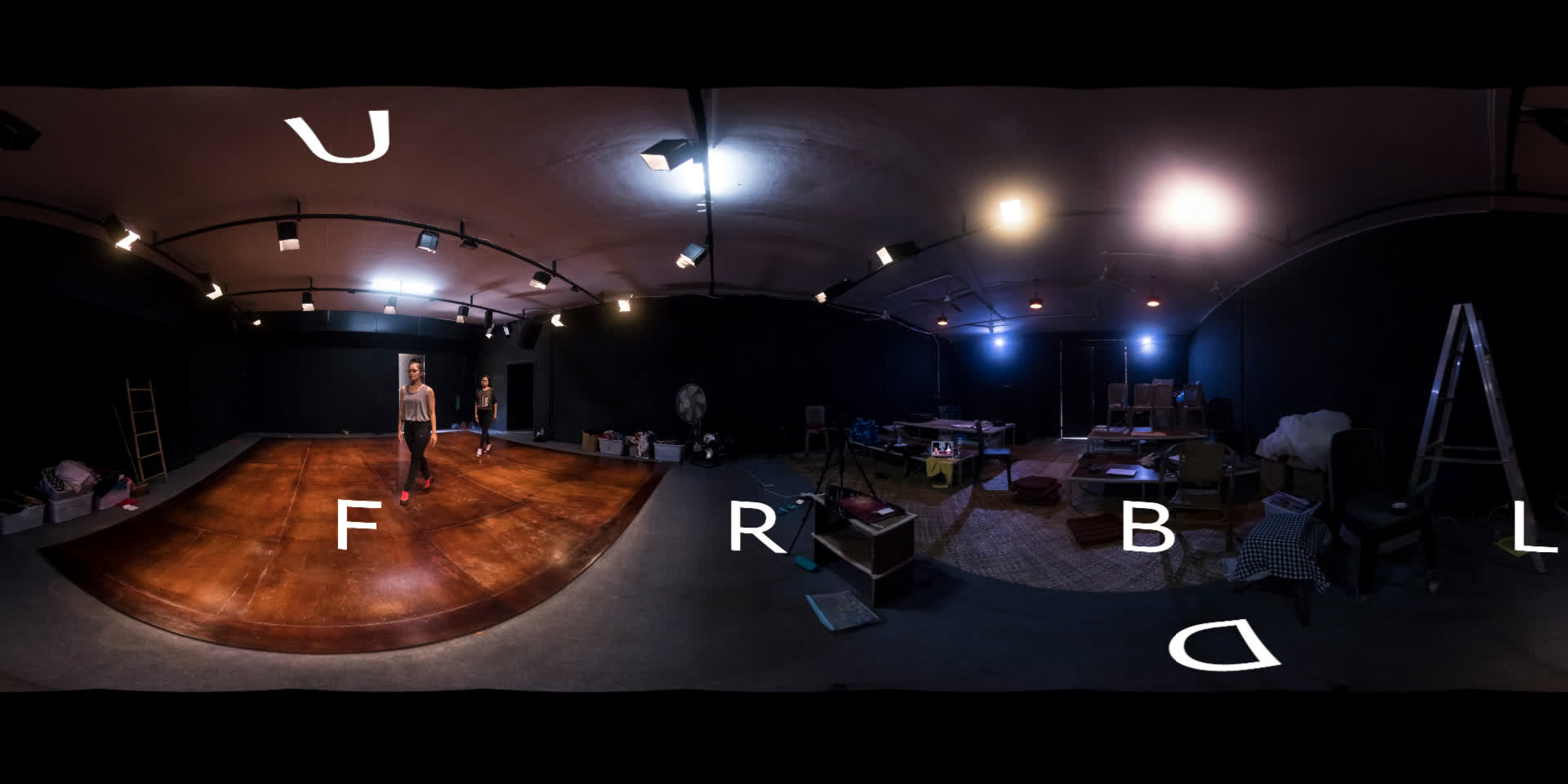
equirectangular_90.jpg, offset 90° horizontally, compare with the equirectangular at the top of this page.
The ffmpeg filter v360 cubemap order 'rludfb' is used in 'OpenGL', 'Unity', 'NVIDIA Texture Tools Exporter', 'Samsung Gear VR', etc., it's origin might be 'Pixar’s PhotoRealistic RenderMan (1988)'>
It is not the same order as used by Adobe, Apple, Black Magic Design's DaVinci Resolve / Fusion, Hugin, Pano2VR, Panotools, PTGui, Quake II or RealViz: try 'frblud' if you need to use cubemaps in these tools. Tell me if I made any errors. Example: "change cubemap order"
- - - - - - - - - - - - - - - - - - - - - - - - - - - - - - - - - - - - - - - - - - - - - - - - - - - - - - - - - - - - - - - - - - - - - -
Alexander Refsum Jensenius shows a good use of this here (2021-12-21):
Pre-processing Garmin VIRB 360 recordings with FFmpeg
and here (2025-12-19):
Convert Insta360 .insp files to equirectangular projection on Ubuntu with FFmpeg
Now in 2026, I'm using ffmpeg 9.0, GNU bash v. 5.3 and zsh 5.9 on MacOS Sequoia 15, Apple M1. I also have an old Apple computer on Mac OS 10.14.6 (the last MacOS that supported QuickTime 7), with QuickTime Pro for some rescue work.